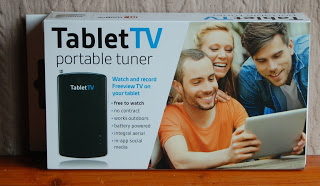
A TabletTV portable tuner product box shows three smiling people enjoying a tablet. The packaging highlights features like watching and recording TV on your tablet, no contract required—perfect for anyone seeking a hands-on review experience.

TabletTV Review

Have you ever gone away and wished you could watch your favourite programme or sat down in your tent whilst camping and thought that you’ll just spend half an hour watching a programme on your tablet to realise you don’t have a signal? if so then you’re not alone. I’ve done this a couple of times in the past and yes I know you don’t go away to just sit in front of a TV but sometimes it’s just nice to enjoy a little comfort from home – my soaps and radio being the main ones. If you said yes then there is a simple solution to this dilemma. This solution is TabletTV.

A TabletTV portable tuner product box shows three smiling people enjoying a tablet. The packaging highlights features like watching and recording TV on your tablet, no contract required—perfect for anyone seeking a hands-on review experience.

So what is Tablet TV I hear you ask … simply put TabletTV is a battery-powered tuner that receives all the Freeview channels and then transmits them to your tablet via wifi meaning you can watch and record live TV on your tablet wherever you are and whenever you want.

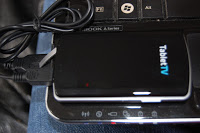
A black TabletTV portable TV tuner, a cable, and a user guide are neatly arranged in clear plastic packaging—perfect for convenient TV streaming anywhere. 

To be able to watch TV via TabletTV you need to download the TabletTV app. It is available for iOS and Android tablets from the App Store and Google Play. It has been designed to receive and record Freeview television and radio channels in the UK.

The image displays a rounded square TabletTV logo with "Tablet" in black and "TV" in light blue on a light grey background, perfect for a review or tech feature.

Once you have downloaded your app you need to set up your tuner. This is so simple to do if you follow the instructions properly. You need to pull the antenna out fully on the tuner, make sure it’s in a good place to get a signal, turn the tuner on, go to your wifi settings on your tablet and select TabletTV from the drop down list, once connected the to the tuners wifi you can then launch the TabletTV app. Once you’ve opened the app you can then follow the onscreen instructions to finish the set up.

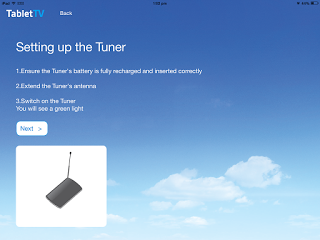
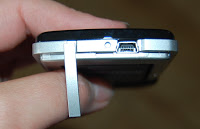
A hand holds a small black device labelled "TabletTV," its long, thin aerial extended upwards, showcasing some of the key TabletTV features against a blurred brown background. A TabletTV screen displays setup instructions for a tuner, guiding users to recharge the battery, extend the aerial, and switch it on. The review image shows the tuner with its aerial against a sky filled with clouds.
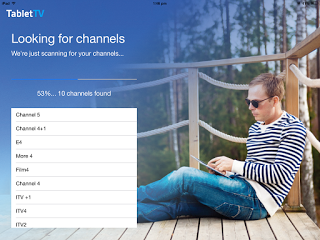
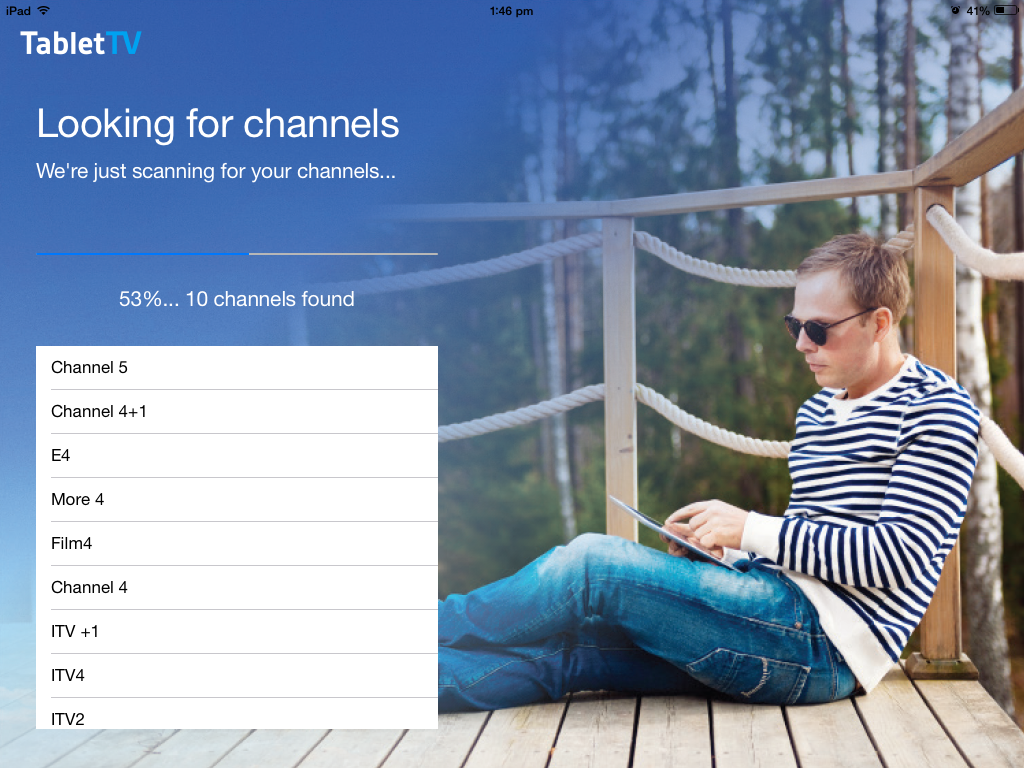
TabletTV setup screen with tips for locating the aerial for optimal TV streaming: place the tuner near a window, as high as possible indoors, or in open air locations. Illustrated with icons of a tuner by a window, a house, and a tree. A man in sunglasses and a striped shirt sits on a wooden decking using a tablet. Onscreen text shows a TabletTV review with a channel scan in progress and a list of TV channels found on the left side, highlighting seamless TV streaming.

  
The tuner receives all Freeview channels and radio stations that are available through a TV aerial and transmits them wirelessly to your tablet – this is great news for us as we love to go camping in the summer months and Matthew who loves to go fishing will now be able to take either the iPad or Galaxy tab with him to be able to either watch or record and watch later his programmes like the F1 (well if it’s a race that’s on BBC)… but this is great news for me as it means I get to watch the race as it happens at home instead of waiting for him to come home… a win win situation in our house for sure.

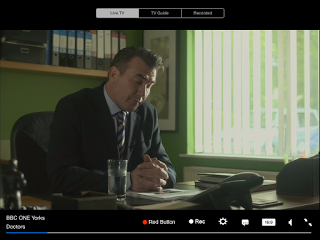
A TabletTV interface displays a TV guide on the left and a paused scene from "Doctors" on the right, featuring a woman and man at a table. Below, you’ll find programme details and a review to help with your viewing choices. A man in a suit sits at a desk in an office with green walls, looking down thoughtfully. Sunlight streams through vertical blinds. On his desk are a glass of water, files, a phone, and the TabletTV app displaying BBC ONE Yorks Doctors on screen. 
A TabletTV guide on a tablet screen shows different channels, programmes, and times for Thursday, 17 September 2015, from 1:00 pm to 2:30 pm. Channels like BBC One, ITV, and Channel 4 are featured for easy browsing and review.

With TabletTV you can:

  • Watch and record live television absolutely FREE
  • Play back recorded shows anywhere, anytime
  • No cable, satellite, or internet required for viewing
  • No buffering, wait times, or authentication

The tuner comes with a rechargeable battery which charges via USB again another plus for us as we recently received our free power bars from EE so if we needed to whilst away we can charge our tablet or TabletTV tuner.



If you’d like to buy your own TabletTV you can do so from Amazon for £69.99.

Similar Posts

Leave a Reply

Your email address will not be published. Required fields are marked *

This site uses Akismet to reduce spam. Learn how your comment data is processed.