
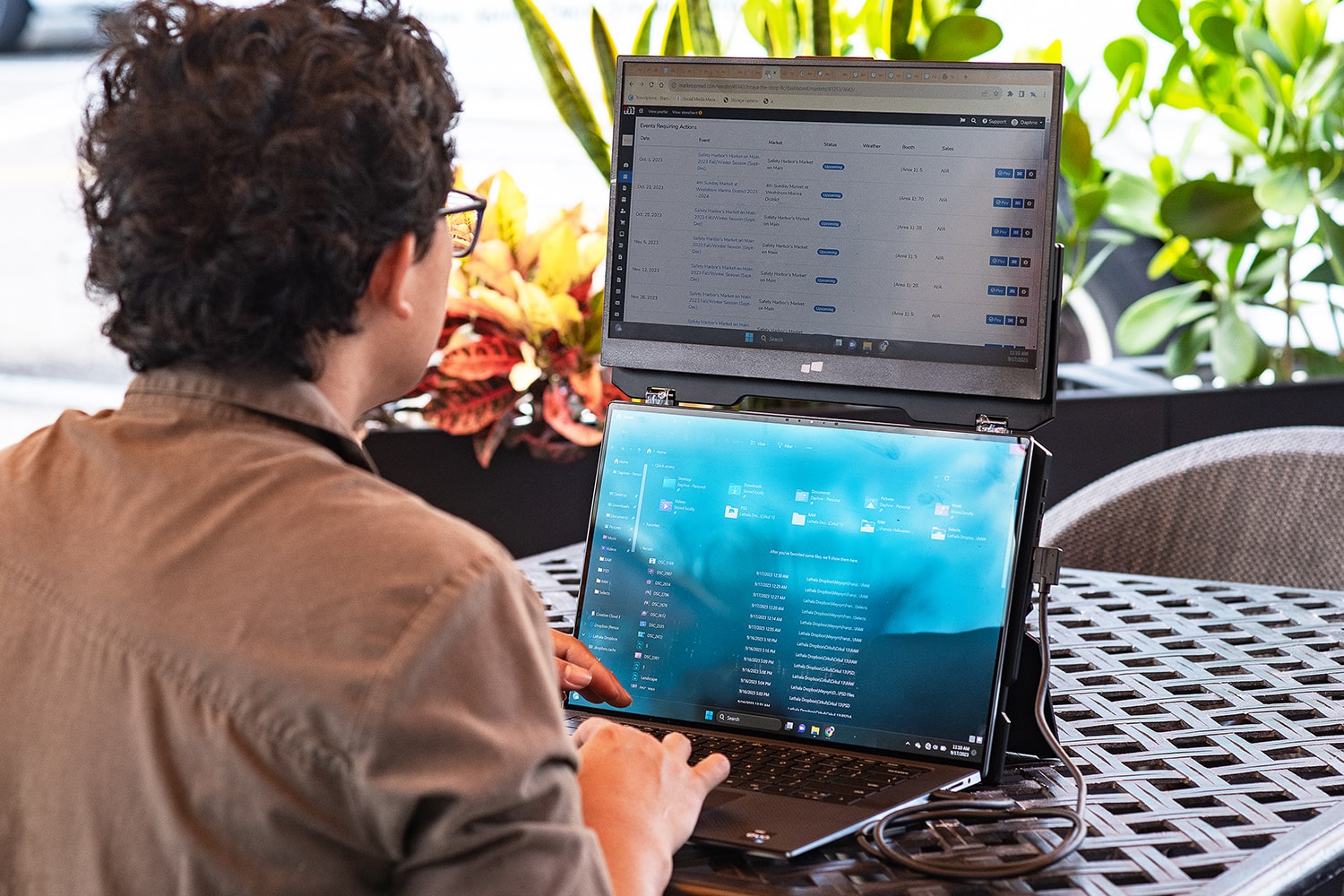
How to Achieve the Perfect Ergonomic Setup with an Extra Screen
Working, working, and working for long hours is the modern age lifestyle! But what about the posture you keep for such a long time? After completing your workday, exhaustion worsens when you don’t have an ideal ergonomic setting. Many professionals, like designers and video editors, use extra screens to create digital projects. They mostly miss the ergonomic setup of their workplace. In this post, you will see how to maintain an ergonomic workplace setup.
Take a Look at Positioning Your Screens for Optimal Ergonomics

The first thing that should pop into your mind when using screens is their positioning. It is the root of creating an optimal ergonomic space. You can attain effortless productivity with no neck pain by doing it right. For the right positioning, you should:
- Put your primary screen directly in front of you. It should be at an arm’s length away.
- The second screen, like a Duex Float extra screen for a laptop, on the other hand, should be slightly to the side. It must be angled towards you to minimize the head movements.
Excellent Tips to Reduce the Neck & Eye Strain
Proper Viewing Distance
When the distance between your screen and your eyes is very close, it will make your eyes feel heavy. If you don’t change it, your eyes may have problems. So, make the distance right. Generally, an ideal screen from your eyes must be between 20-30 inches. With this right gap, you can prevent excessive eye strain. Besides, it is also good for your neck. When you continuously change text size while the distance is not right, it also makes you move your neck.
The 20-20-20 Rule
Another super tip to implement for ergonomic benefits is the 20-20-20 rule. It simply means, “Every 20 minutes, look 20 feet away for at least 20 seconds.” If you are a professional and spend long hours on screens, it is a good habit to add to your work routine. Following this rule, you can improve your vision and feel more comfortable for long hours. While moving your eyes, you can also stretch or move your neck to keep your neck strain away.
Blue Light Filters & Anti-Glare Screens
Blue light can be seen as a caffeine of digital work settings. It keeps you alert but feels exhausting to your eyes. So, you can use blue light filters to reduce the exposure to blue light. It will help you in minimizing the unwanted strain. The other hero that can save you is an anti-glare screen. It has the qualities to deal with reflections to ensure you don’t have to squint or reposition. As a result, you can keep your focus better while maintaining minimal eye and neck movements while working using these solutions.

Simple Ways to Maintain Wrist & Hand Health
Keyboard and Mouse Placement
Simple changes create big differences, and the keyboard and mouse placement for better wrist position is an example. Keeping your wrist neutral while working, neither bent up nor down, will prevent strain. The right way to do it is to keep your keyboard close enough and mouse at the same level to avoid overreaching.
Adjustable Desk and Chair Considerations
The next tip tells you to go for the adjustable furniture. An adjustable chair keeps your elbows resting at a 90-degree angle. The armrests are great for amazing support for the wrist while working. And do not forget to have a desk that can be set according to your comfort. These changes will help you to avoid awkward postures and discomfort.
In The End
Finally, you have all the tips in front of you. So, next time you are about to sit and want to make your workspace feel comfortable, try them to work for longer.